CustomDev Co.
Text sign-up
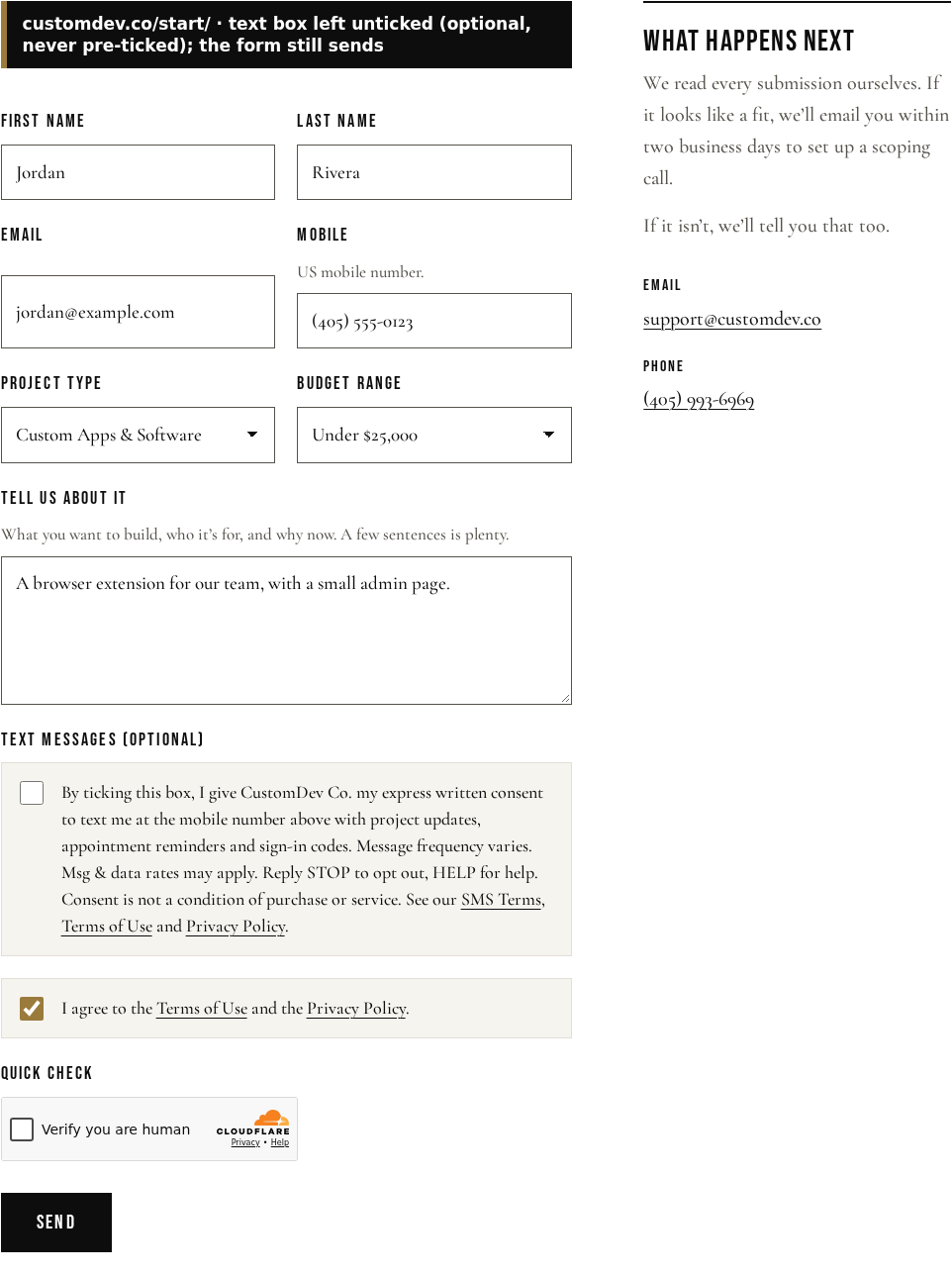
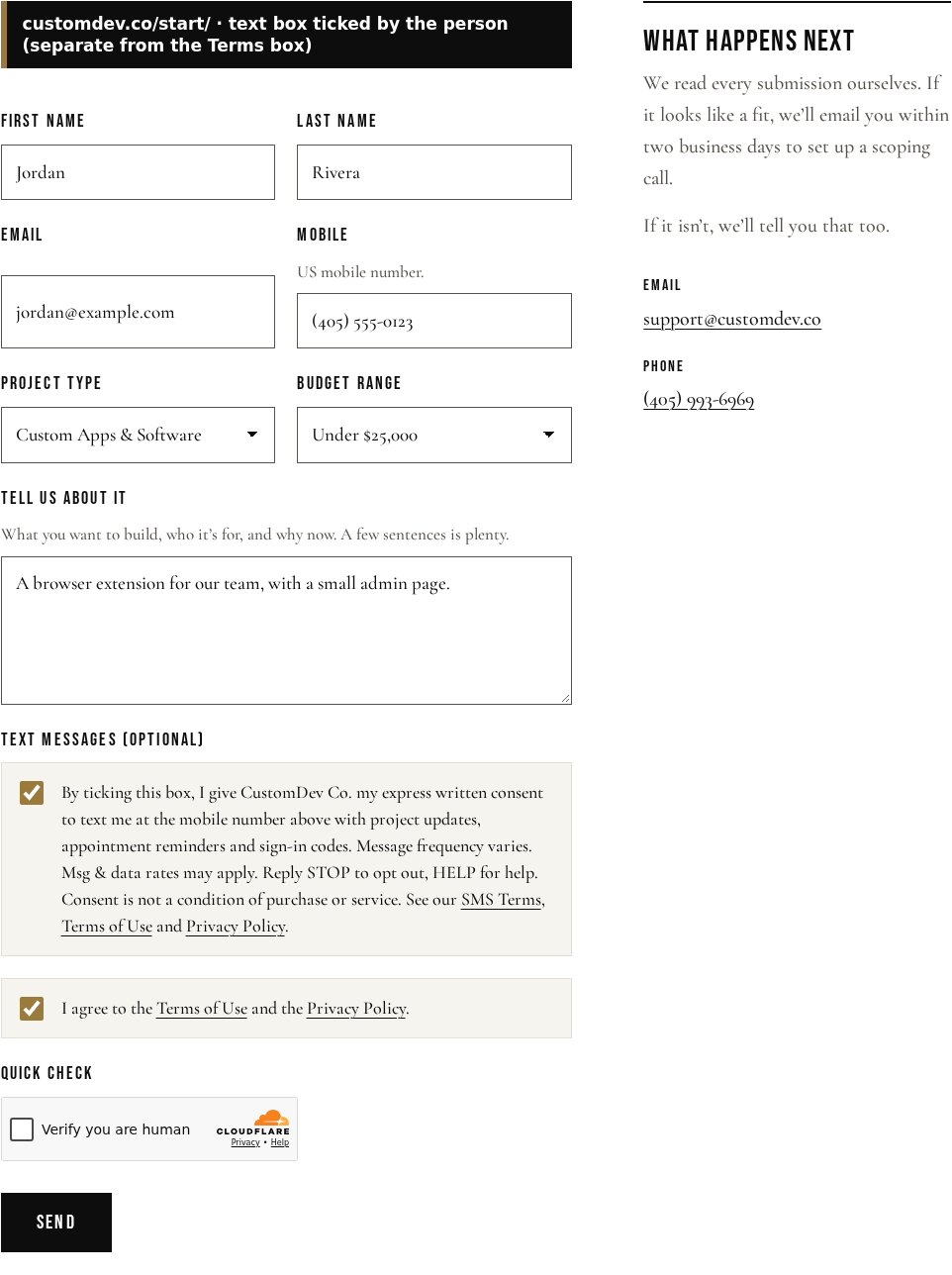
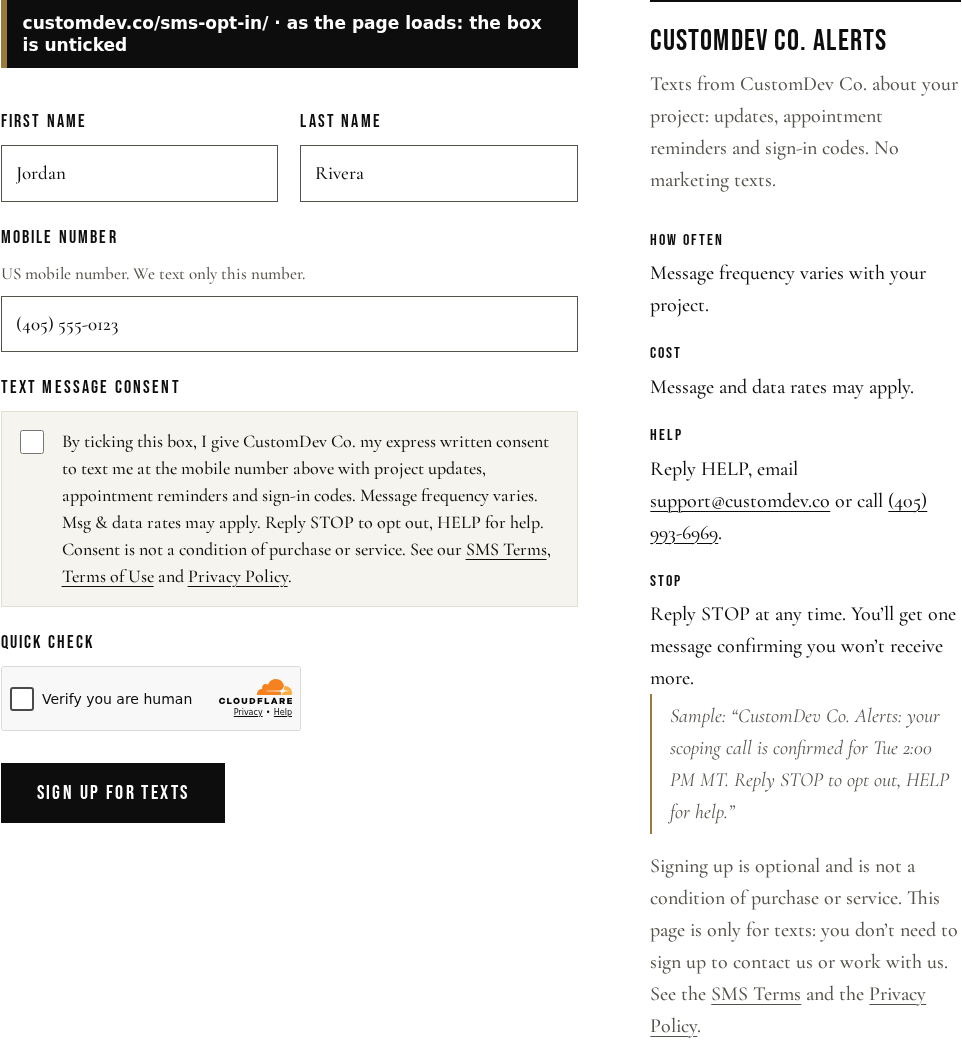
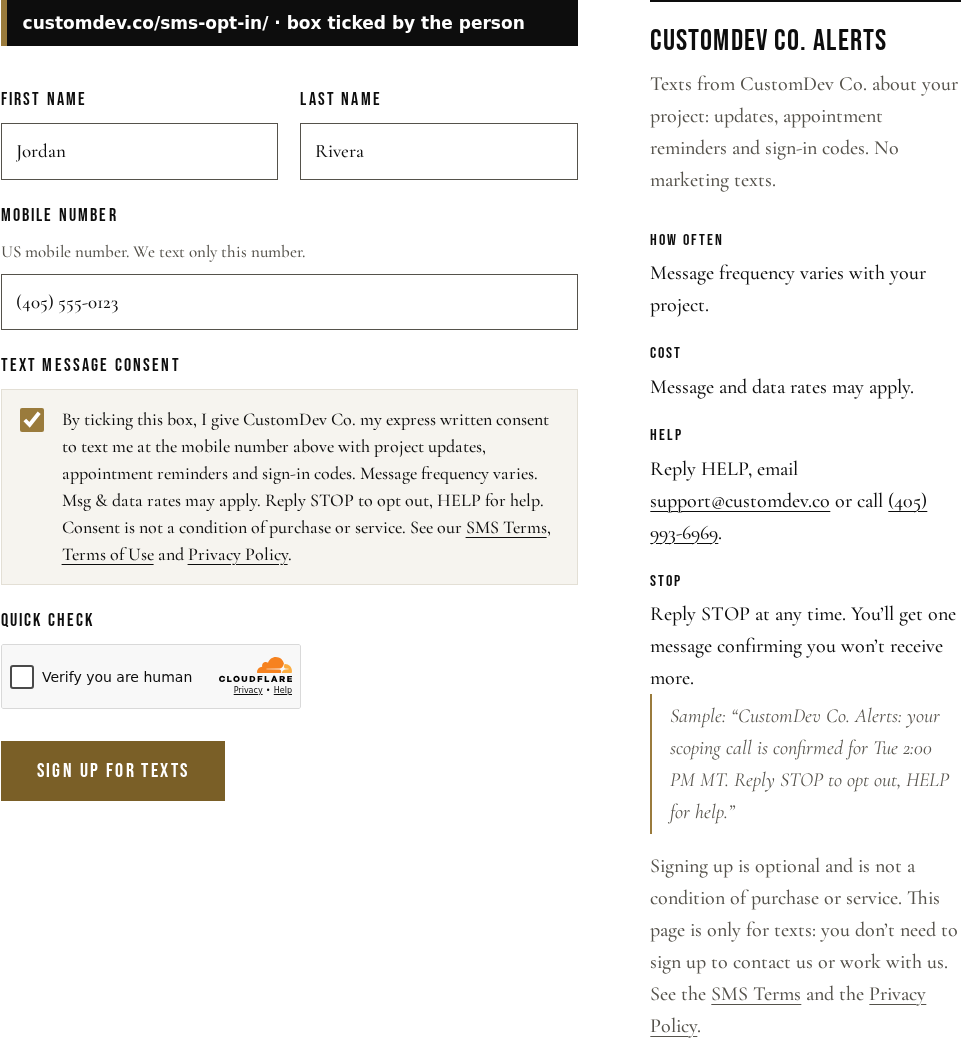
How people sign up for CustomDev Co. Alerts, with screenshots of both sign-up forms.
How people sign up
People join CustomDev Co. Alerts in one way only: by ticking a box on one of two public web forms, customdev.co/start/ and customdev.co/sms-opt-in/. We don’t take sign-ups by phone call, in person or on paper, and we never add a number someone didn’t enter and confirm themselves.
- The box is separate from every other field and is never ticked for the person.
- On the Start a conversation form it is optional: the form sends whether or not it’s ticked. The Terms box on that form covers the website only, not texts.
- When someone ticks it, we record the time, IP address, browser, the page, and the exact wording and version they agreed to.
- Mobile numbers and consent records are never shared or sold to third parties or affiliates for marketing.
The wording next to the box
“By ticking this box, I give CustomDev Co. my express written consent to text me at the mobile number above with project updates, appointment reminders and sign-in codes. Message frequency varies. Msg & data rates may apply. Reply STOP to opt out, HELP for help. Consent is not a condition of purchase or service.”
Followed by links to the SMS Terms, Terms of Use and Privacy Policy.
Sample messages
- “CustomDev Co. Alerts: your scoping call is confirmed for Tue 2:00 PM MT. Reply STOP to opt out, HELP for help.”
- “CustomDev Co. Alerts: a new project update is ready. Sign in at customdev.co to read it. Reply STOP to opt out, HELP for help.”
- “CustomDev Co. Alerts: your sign-in code is 482913. It expires in 10 minutes. Reply STOP to opt out, HELP for help.”
Screenshots